 llm.txt Digital Team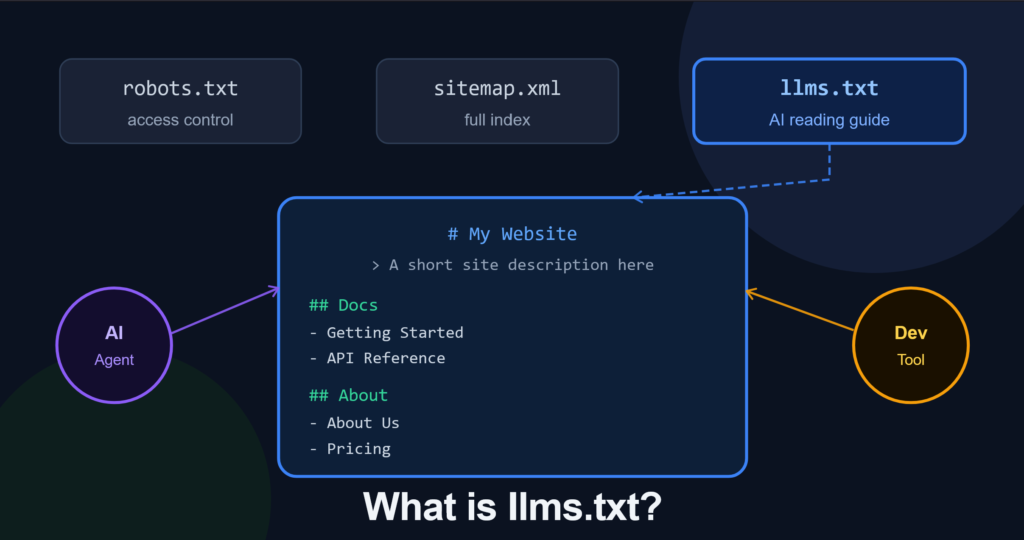
Everyone in the SEO and AI space is talking about llms.txt. Some are calling it the next robots.txt. Others are calling it a complete waste of time.
The truth sits somewhere in the middle, and it depends entirely on what kind of website you are running.
This guide covers what llms.txt actually is, how it works, what the real data says about its effectiveness, and whether you should bother adding one to your site. No hype. No dismissal. Just the full picture.
What Is llms.txt? (Simple Definition)
llms.txt is a plain-text, Markdown-formatted file placed at the root of a website that tells AI models and web crawlers which pages are most important to read.
Think of it as a curated “recommended reading list” for AI. Instead of letting a language model struggle through your site’s full HTML, complete with navigation menus, cookie banners, ads, and JavaScript bloat, the llms.txt file points it directly to your most accurate and useful content.
The concept was proposed in September 2024 by Jeremy Howard, founder of fast.ai, as a way to standardize how websites communicate their most important content to large language models at inference time.
You can find your site’s llms.txt file (if it has one) at:
https://yourwebsite.com/llms.txt
Here is a quick comparison to put it in context:
| File | Purpose | Audience |
|---|---|---|
| robots.txt | Access control — tells bots what NOT to crawl | All web crawlers |
| sitemap.xml | Complete index of every page on your site | Search engines |
| llms.txt | Curated “best of” reading list for AI | LLMs and AI agents |
The key distinction: robots.txt is about restriction. sitemap.xml is about completeness. llms.txt is about recommendation.
The 3 Components of the llms.txt Standard
The llms.txt ecosystem is not just one file. It actually covers three related conventions that work together.
1. The llms.txt Index File
This is the core file, placed at your site’s root. It outlines your site’s purpose and links to your most authoritative pages, guides, API docs, or key content sections. It is intentionally short and curated. The goal is to give an AI model a fast, high-signal overview of what your site is about and where the best information lives.
2. The llms-full.txt File
This is an optional companion file. Where llms.txt is a curated index, llms-full.txt consolidates your entire knowledge base or documentation into a single Markdown document. An AI agent can ingest your complete site context with a single URL fetch rather than crawling hundreds of individual pages. This is especially useful for SaaS products and technical documentation sites.
3. The .md URL Extension Convention
This is a convention where websites make a lightweight, text-only Markdown version of any page available by appending .md to the URL. For example:
https://yourwebsite.com/about.md
The idea is to let AI agents request a clean, token-efficient version of any page rather than parsing heavy HTML. Not every site supports this, but it is part of the broader llms.txt ecosystem.
What Does an llms.txt File Actually Look Like?
Here is an example of a well-structured llms.txt file for a generic software documentation site:
# My Software Tool

> A project management platform that helps small teams track tasks,
> deadlines, and progress without the complexity of enterprise tools.

## Documentation

- [Getting Started](https://example.com/docs/getting-started.md): Installation and first setup guide
- [API Reference](https://example.com/docs/api.md): Full REST API documentation with authentication details
- [Integrations](https://example.com/docs/integrations.md): Third-party integration guides

## About

- [About Us](https://example.com/about.md): Company background, mission, and team
- [Pricing](https://example.com/pricing.md): Current plans and feature comparison

## Optional

- [Blog](https://example.com/blog): Product updates and guides
Notice the structure: an H1 for the site name, a blockquote summarizing what the site does, H2 sections organizing content by category, and descriptive link labels so the AI knows what each page contains before fetching it.
Why Are Websites Adding llms.txt?
There are three main reasons site owners are adopting this convention.
Generative Engine Optimization (GEO)
As AI-powered answer engines like ChatGPT, Perplexity, and Google AI Overviews become primary information sources, site owners want to ensure AI models cite their content accurately. The theory is that a well-structured llms.txt helps AI systems find and correctly understand your most authoritative pages, reducing the chance of being misrepresented or ignored in AI-generated answers.
This is the most commonly cited reason for adoption, though the data on whether it actually works for this purpose is mixed (more on this shortly).
Token Efficiency
Traditional HTML pages are noisy for AI models. A single web page can contain thousands of tokens worth of navigation elements, sidebars, footer links, and boilerplate before the actual content even starts. Markdown files and the llms.txt index cut through that noise, allowing AI agents to get to useful information with far fewer tokens. This translates to faster and more accurate responses when an AI is trying to understand your site.
Reducing AI Hallucinations About Your Product
When an AI model does not have clean, authoritative documentation to reference, it falls back on whatever fragmented information it found during training, which might be outdated blog posts, incorrect forum answers, or old product descriptions. By providing a direct path to your current, accurate documentation, you reduce the risk of AI giving wrong answers about your product or service. This is particularly important for SaaS companies, APIs, and technical tools where accuracy matters.
Does llms.txt Actually Work? (What the Data Says)
Here is where things get honest. For general SEO and AI citation purposes, the current evidence suggests llms.txt has little to no measurable impact. But for one specific use case, it genuinely works.
The Evidence Against (For General SEO)
A study by SE Ranking analyzing over 300,000 domains found zero statistical correlation between having an llms.txt file and how frequently a domain gets cited by AI answer engines.
Server log analyses by Peec AI show that AI bot traffic to /llms.txt is virtually nonexistent. Only around 0.1% of AI bot traffic actually accesses the file, and llms.txt pages perform three times worse than average site pages in terms of crawler engagement.
Google has publicly stated it does not use llms.txt for crawling, indexing, or rankings. In July 2025, Google’s Gary Illyes confirmed Google does not support the standard, and John Mueller compared it to the long-discredited keywords meta tag.
No major AI platform including OpenAI, Google, Meta, or Mistral has officially announced that llms.txt influences how they source or rank answers in their consumer products.
Adoption across the web remains low at around 10% of sites according to most analyses, which limits any network effect the standard might otherwise have built.
The One Place It Actually Works: Developer AI Tools
Here is the nuance most articles miss. There is strong documented evidence that llms.txt provides real value for AI-assisted developer tools like Cursor and GitHub Copilot when developers ask product-specific coding questions.
When a developer asks an AI coding assistant how to authenticate with a particular API, the tool fetches external documentation in real time. A clean, well-structured llms.txt reduces the token cost of that retrieval and significantly improves the accuracy of the answer. If you run an API, SaaS product, developer tool, or technical documentation site, this is the use case where llms.txt delivers genuine and measurable value.
Who Should Actually Add llms.txt?
Based on the current evidence, here is a straightforward framework.
You should definitely add it if you are running a SaaS product with API documentation, a developer tools company whose docs will be fetched by AI coding assistants, a technical documentation site that updates frequently, or a company where AI giving wrong answers about your product is a real business risk.
It is worth adding if you run a content marketing site or blog, because it takes 30 minutes, costs nothing, and may become more relevant as AI standards evolve. E-commerce sites with detailed product documentation also fall into this camp.
It is probably not worth the maintenance if you run a local business or service site, a site whose content does not change often, or if you are planning to obsess over llms.txt as a GEO ranking tactic instead of focusing on actual content quality.
The bottom line: it is a low-effort addition that carries no downside. But if you are hoping it will move the needle on your AI search citations, the current data does not support that expectation.
How to Create Your llms.txt File (Step-by-Step)
Creating an llms.txt file takes about 20 to 30 minutes for most sites.
Step 1: Identify Your 5 to 10 Most Important Pages
Do not try to include your entire site. AI models prioritize signal density over volume. Focus on pages that define your business clearly: your homepage, about page, pricing or services page, key product or documentation pages, and your contact or support page.
Step 2: Create the File Structure
Open any plain text editor and follow this structure:
# [Your Site Name]

> [One to two sentence description of what your site does]

## [Category Name]

- [Page Title](URL): Brief description of what this page covers

## [Another Category]

- [Page Title](URL): Brief description
Step 3: Save and Upload
Save the file as llms.txt in plain text format with no special encoding and upload it to your website’s root directory so it is accessible at yourwebsite.com/llms.txt
Step 4: Optionally Create llms-full.txt
If you have extensive documentation, consider creating a companion llms-full.txt that consolidates your full knowledge base into a single Markdown document. This is most valuable for API documentation and technical guides where an AI agent might need comprehensive context in one fetch.
Using a Generator Tool
If you want to skip the manual process, tools like llmstxt.digital can automatically generate a properly formatted llms.txt file for your site in minutes. Useful if you have a large site or want to make sure the output follows the standard correctly without doing it by hand.
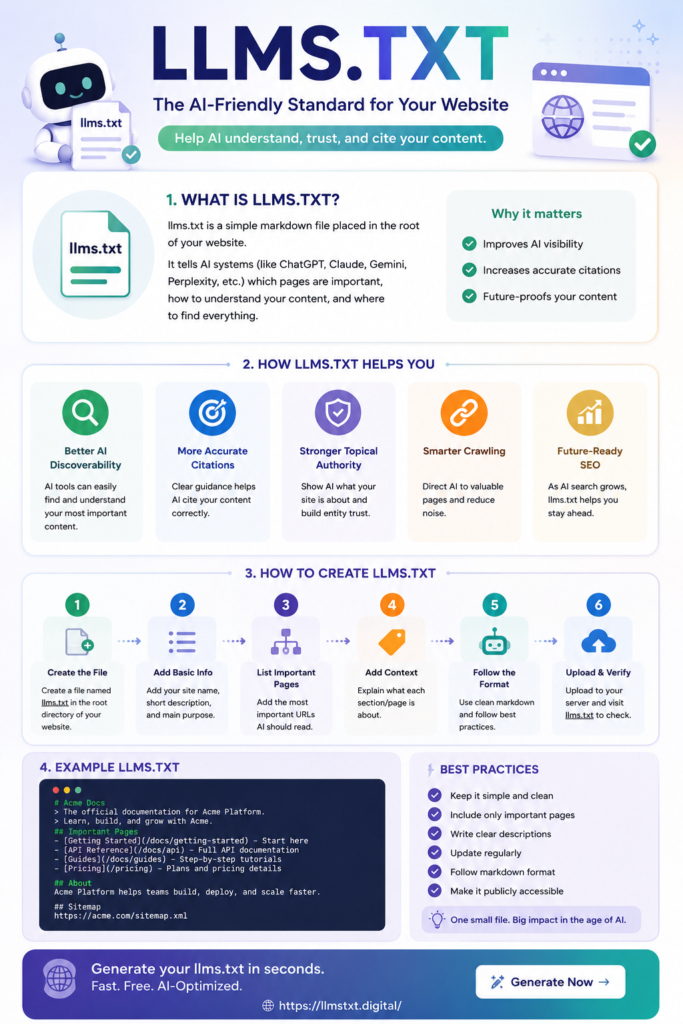
llms.txt vs robots.txt vs sitemap.xml: Quick Reference
| robots.txt | sitemap.xml | llms.txt | |
|---|---|---|---|
| Official standard | Yes (RFC) | Yes (sitemaps.org) | No (community proposal) |
| Purpose | Access control | Complete page index | AI content guide |
| Used by Google | Yes | Yes | No |
| Used by AI coding tools | No | Partially | Yes |
| Required | No, but standard practice | Recommended | Optional |
| File format | Plain text directives | XML | Markdown |
| Typical size | Small | Can be very large | Small and curated |
Frequently Asked Questions
What does an llms.txt file do?
It acts as a curated content guide for AI models and agents, pointing them to your most important and accurate pages instead of making them crawl your entire site. Think of it as a map rather than a full directory.
Does llms.txt improve your SEO or Google rankings?
No. Google has confirmed it does not use llms.txt for crawling, indexing, or rankings. It has no impact on traditional search engine optimization.
Does llms.txt help you appear more in AI search results like ChatGPT or Perplexity?
Current large-scale data suggests no correlation between having llms.txt and increased AI citation frequency in consumer AI answer engines. The real measurable benefit today is in developer-facing AI coding tools that fetch documentation in real time.
How is llms.txt different from robots.txt?
robots.txt tells bots what they are not allowed to access. llms.txt tells AI models what they should read. One is about restriction, the other is about recommendation.
Do I need an llms.txt file for my website?
Not technically required. But if you run a SaaS product, API, or technical documentation site, it is worth the 30-minute investment. For most other sites, it is a low-effort optional addition that poses no downside.
Does Google read llms.txt?
No. Google has publicly stated it does not support the llms.txt standard and has no current plans to incorporate it into its crawling or ranking systems.
How often should I update my llms.txt file?
Update it whenever your site structure changes significantly, you launch new major features or content sections, or your existing linked pages become outdated. For most sites, a quarterly review is more than sufficient.
What is the difference between llms.txt and llms-full.txt?
llms.txt is a short, curated index pointing to your key pages. llms-full.txt consolidates your entire documentation into one large Markdown file for AI agents that want comprehensive context in a single fetch. Most sites only need llms.txt.
The Bottom Line
llms.txt is a genuinely useful standard when applied to the right use case. If you build developer tools, run an API, or manage technical documentation, adding a well-structured llms.txt is one of the smartest 30-minute investments you can make right now. AI coding tools actively use it and the benefit is real.
If you are a content site or marketing blog hoping llms.txt will boost your AI search visibility, the data does not support that expectation today. Focus your energy on content quality, semantic structure, schema markup, and topical authority instead.
Add it, but do not worship it. And do not let anyone sell you llms.txt implementation as a GEO ranking strategy without showing you the actual data first.
Want to generate an llms.txt file for your site in minutes? Try the free llms.txt generator.